Why Patient Follow-Up Is Essential for Modern Clinic Management
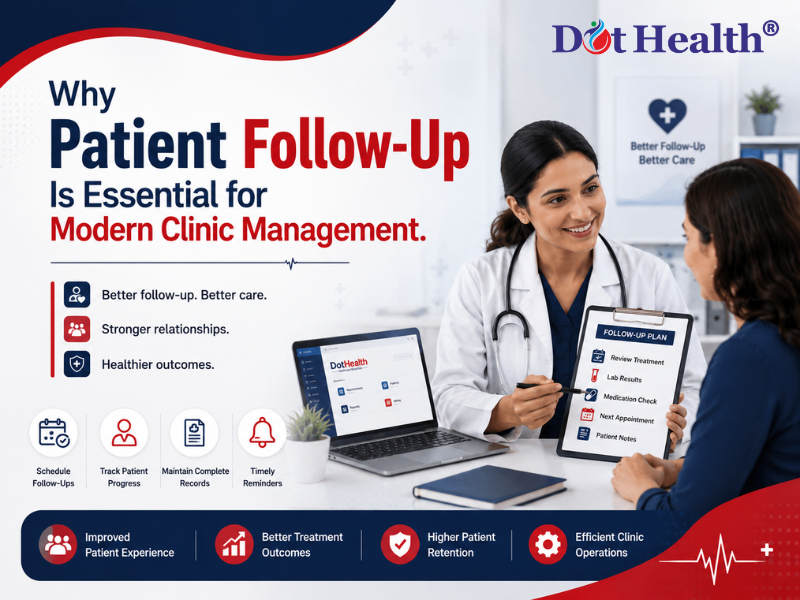
Why Patient Follow-Up Is Essential for Modern Clinic Management
A patient's journey does not end after a consultation.
Whether it is a routine check-up, ongoing treatment, physiotherapy session, diagnostic test, or medication review, patient follow-up plays an important role in maintaining continuity of care.
For clinics, however, managing follow-ups can become difficult when patient information is spread across paper files, spreadsheets, appointment registers, and disconnected systems. Missed follow-ups can affect patient experience while creating additional administrative work for clinic staff.
Modern Clinic Management Software can help healthcare teams organize patient information, appointments, treatment history, billing, and follow-up activities in a connected workflow.
With an integrated healthcare platform such as DotHealth, clinics can manage the patient's journey across different stages—from registration and consultation to follow-up, billing, pharmacy, and reporting.
What Is Patient Follow-Up?
Patient follow-up refers to the process of continuing communication and care after an initial consultation, treatment, procedure, diagnostic test, or previous appointment.
Depending on the patient's condition, follow-up may involve:
- Scheduling another appointment
- Reviewing treatment progress
- Checking test results
- Monitoring symptoms
- Reviewing medications
- Continuing physiotherapy sessions
- Updating patient records
- Providing further consultation
- Collecting feedback
A structured follow-up process helps clinics maintain a continuous record of the patient's healthcare journey.
Why Is Patient Follow-Up Important for Clinics?
1. It Supports Continuity of Care
Healthcare is often not a one-time interaction.
Patients may require multiple consultations, diagnostic tests, treatments, or follow-up visits. Without proper follow-up, important information can become difficult to track.
Maintaining a digital patient history allows healthcare professionals to review previous consultations and understand the patient's journey before the next interaction.
How DotHealth Helps
DotHealth's Patient Management capabilities help maintain centralized patient information, allowing authorized healthcare teams to access relevant records when needed.
This creates a connected workflow instead of treating every visit as a completely separate interaction.
2. Follow-Up Helps Clinics Manage Repeat Appointments
Many patients need to return after a consultation.
For example:
Consultation → Treatment → Follow-Up → Review → Further Treatment
If follow-up appointments are managed manually, staff may need to search through registers or contact patients individually.
Digital appointment management can make this process more organized.
How DotHealth Helps
DotHealth supports appointment management, allowing clinics to organize scheduled visits and maintain appointment information as part of the broader patient workflow.
This helps connect the patient's previous visit with the next appointment.
3. Follow-Up Improves the Patient Experience
Patients expect healthcare services to be organized and convenient.
A clinic that maintains proper follow-up processes can provide patients with:
- Better appointment coordination
- Faster access to previous records
- More organized communication
- Consistent treatment information
- Easier repeat visits
A positive experience can encourage patients to continue using the clinic for their future healthcare needs.
4. Digital Patient Records Make Follow-Up Easier
One of the biggest challenges in manual clinic management is finding previous patient information.
A patient's history may include:
- Previous consultations
- Diagnoses
- Prescriptions
- Treatment notes
- Lab reports
- Billing information
- Uploaded documents
- Previous appointments
Searching for all of this information manually can consume valuable time.
With digital patient records, relevant information can be accessed more easily during follow-up visits.
DotHealth Advantage
DotHealth provides a connected healthcare environment where patient information can be managed digitally, supporting better access to records throughout the patient's journey.
5. Follow-Up Connects OPD and Patient Management
For many clinics, the patient's journey begins with an OPD consultation.
A typical workflow can look like:
Patient Registration → OPD Consultation → Diagnosis → Prescription → Follow-Up Appointment
When these processes are disconnected, staff may have to enter information multiple times.
An integrated system can connect OPD and patient management, creating a more organized workflow.
How DotHealth Helps
DotHealth's broader healthcare platform connects HIMS, OPD, Patient Management, Billing, Pharmacy, Inventory, and other healthcare operations, allowing clinics to manage patient information across connected workflows.
6. Follow-Up Is Important for Long-Term Treatments
Some patients require ongoing care rather than a single consultation.
This may include:
- Physiotherapy
- Chronic condition management
- Post-treatment monitoring
- Regular health check-ups
- Rehabilitation
- Medication reviews
For these patients, maintaining a history of previous visits is especially important.
Physiotherapy Example
A physiotherapy patient's journey may include:
Initial Assessment → Treatment Plan → Therapy Sessions → Progress Tracking → Follow-Up
A digital system can help maintain information across these stages.
This makes Physiotherapy Management an important part of an integrated clinic workflow.
7. Follow-Up Can Connect Pharmacy and Prescription Management
Follow-up visits may involve medication reviews, new prescriptions, or changes to existing treatment.
When clinic and pharmacy operations are connected, the healthcare team can manage these processes more efficiently.
For example:
Doctor Consultation → Prescription → Pharmacy → Follow-Up
DotHealth's healthcare ecosystem includes Pharmacy Management, allowing organizations to connect pharmacy operations with broader patient-care workflows.
This is particularly useful for healthcare organizations that want to manage clinical and pharmacy activities within a connected system.
8. Diagnostic Reports Can Become Part of the Follow-Up Journey
Patients may also return to a clinic after completing laboratory or diagnostic tests.
The workflow can look like:
Consultation → Lab Test → Report → Doctor Review → Follow-Up
When diagnostic information is available within the broader healthcare ecosystem, healthcare teams can work with more complete patient information.
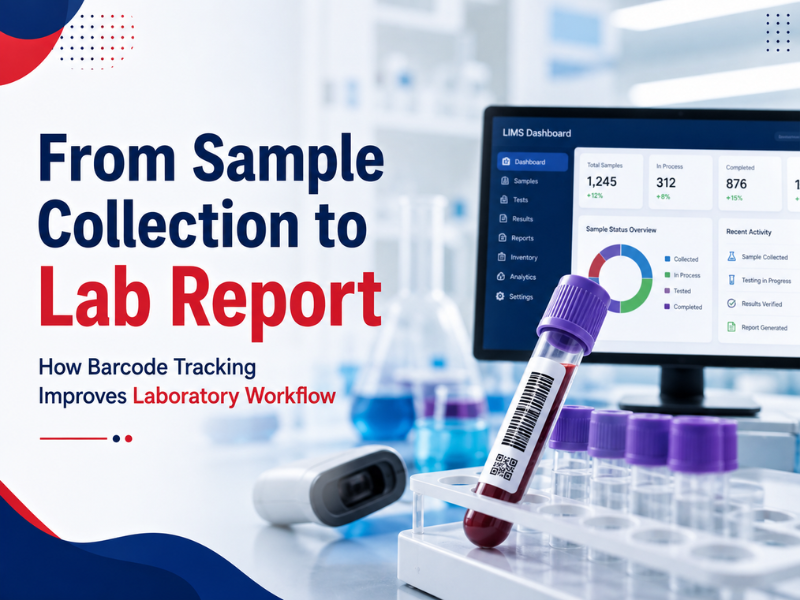
DotHealth includes LIMS capabilities that can connect laboratory operations with other healthcare processes.
This helps demonstrate why modern healthcare management should not treat every department as an isolated system.
9. Billing Should Also Be Part of the Patient Journey
Follow-up visits often generate additional billing transactions.
If billing is maintained separately, staff may need to repeatedly enter patient information.
An integrated workflow can connect:
Patient → Consultation → Treatment → Follow-Up → Billing
DotHealth's Billing & Invoicing capabilities help healthcare organizations manage financial transactions alongside other operational processes.
This can reduce duplication and make patient-related billing information easier to manage.
10. Follow-Up Data Helps Clinics Understand Patient Trends
Patient follow-up is not only useful for individual patient care.
It can also provide valuable operational insights for clinic administrators.
For example, reports can help clinics understand:
- Number of repeat visits
- Appointment trends
- Patient volume
- Treatment activity
- Revenue patterns
- Department performance
- Follow-up activity
These insights can help management identify areas that need attention.
How DotHealth Helps
DotHealth's Reports & Analytics capabilities allow healthcare organizations to use operational information for better decision-making.
11. Automated Reminders Can Reduce Missed Follow-Ups
Patients may forget appointments, especially when the next visit is scheduled several weeks after the initial consultation.
Appointment reminders can help keep patients informed about upcoming visits.
A digital clinic management system can support organized appointment workflows and reminders, reducing the need for staff to manually track every upcoming appointment.
This can be particularly useful for clinics handling a large number of patients.
12. Patient Follow-Up Helps Build Long-Term Patient Relationships
Healthcare is based on trust and continuity.
When clinics maintain organized patient records and follow-up processes, patients can experience more consistent care.
A patient who knows that their previous information is available and their future appointments are properly managed may have greater confidence in the clinic's overall process.
Therefore, follow-up is not just an administrative activity—it can contribute to the long-term patient relationship.
Common Patient Follow-Up Challenges in Clinics
Clinics managing follow-ups manually may face challenges such as:
Missed Follow-Up Appointments
Patients may forget when they need to return.
Scattered Patient Records
Previous information may be stored across different files or systems.
Manual Appointment Tracking
Staff may spend considerable time maintaining appointment registers.
Repeated Data Entry
Patient information may need to be entered multiple times.
Disconnected Departments
OPD, pharmacy, laboratory, billing, and other departments may operate separately.
Limited Reporting
Management may find it difficult to understand patient and operational trends.
These challenges become more significant as the clinic grows.
How Integrated Clinic Management Software Improves Follow-Up
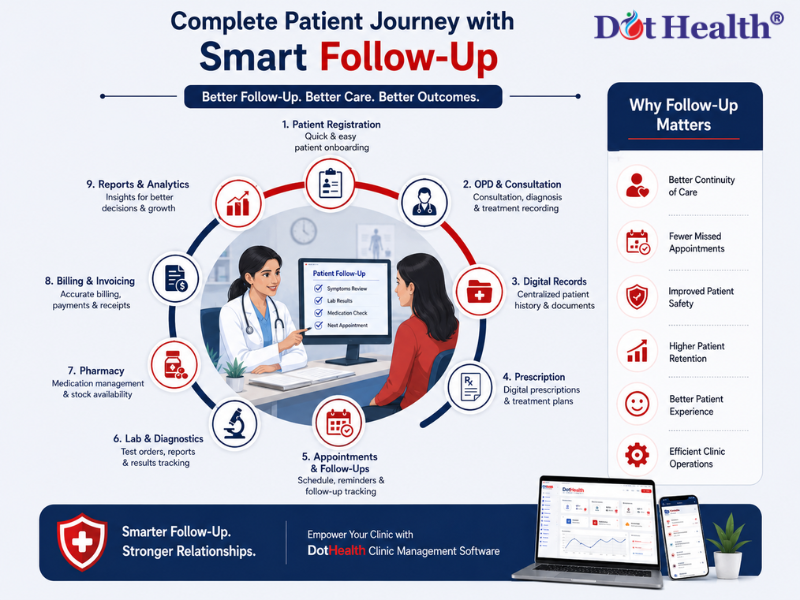
An integrated healthcare platform can connect the major stages of the patient journey.
A Connected DotHealth Workflow
Registration
↓
OPD Consultation
↓
Patient Records
↓
Prescription / Treatment
↓
Pharmacy / Laboratory
↓
Billing
↓
Follow-Up Appointment
↓
Reports & Analytics
This type of workflow allows clinics to manage different healthcare activities within a connected environment.
What Features Should Clinics Look for in Follow-Up Management?
When choosing Clinic Management Software, clinics should consider whether the system supports:
- Digital patient records
- Appointment scheduling
- Follow-up appointments
- Patient history
- OPD management
- Treatment tracking
- Prescription management
- Billing and invoicing
- Pharmacy integration
- Laboratory integration
- Reports and analytics
- Multi-location management
- Secure access to healthcare information
The goal is not simply to select software with the most features. Clinics should choose a platform that fits their actual workflow and can support future growth.
How DotHealth Supports the Modern Patient Journey
DotHealth is designed as an integrated healthcare management platform rather than a standalone appointment tool.
Its ecosystem includes:
- HIMS
- Clinic Management
- OPD Management
- Patient Management
- Physiotherapy Management
- Pharmacy Management
- Inventory Management
- LIMS
- Billing & Invoicing
- Reports & Analytics
- Multi-Location Management
This interconnected approach allows healthcare organizations to manage more of the patient journey through a unified digital environment.
For a patient, the experience can move from registration to consultation, treatment, billing, pharmacy, diagnostics, and follow-up without treating every step as an isolated process.
Best Practices for Better Patient Follow-Up
Clinics can improve their follow-up process by:
1. Maintain Complete Digital Records
Keep patient information organized and accessible.
2. Schedule Follow-Ups Before the Patient Leaves
Where clinically appropriate, schedule the next appointment during the current visit.
3. Use Appointment Reminders
Keep patients informed about upcoming appointments.
4. Track Treatment Progress
Maintain relevant information across visits.
5. Connect Different Departments
Where applicable, connect OPD, pharmacy, laboratory, billing, and other workflows.
6. Review Reports Regularly
Use operational data to identify trends and improve clinic management.
Frequently Asked Questions
What is patient follow-up in clinic management?
Patient follow-up is the process of managing a patient's care and communication after an initial consultation, treatment, test, or previous appointment.
Why is patient follow-up important?
It supports continuity of care, helps clinics manage repeat visits, improves patient experience, and allows healthcare teams to maintain a better understanding of the patient's history.
Can clinic management software help with patient follow-up?
Yes. Clinic management software can connect patient records, appointments, treatment information, billing, and other healthcare workflows to make follow-up more organized.
How does digital patient management improve follow-up?
Digital patient management allows healthcare teams to access relevant patient history, previous appointments, treatment information, and documents more easily during future visits.
Can DotHealth connect patient follow-up with other healthcare modules?
Yes. DotHealth's broader platform connects areas such as HIMS, OPD, Clinic Management, Physiotherapy, Pharmacy, LIMS, Inventory, Billing, and Reports, supporting a more connected patient journey.
Conclusion
Patient follow-up is an essential part of modern clinic management. It helps healthcare organizations maintain continuity of care, manage repeat appointments, improve patient experience, and keep patient information organized.
However, effective follow-up becomes difficult when clinics rely on disconnected systems and manual records.
An integrated Clinic Management Software can connect patient records, appointments, OPD, treatment, billing, pharmacy, diagnostics, and reporting into a more organized workflow.
With DotHealth, healthcare organizations can manage the broader patient journey through an integrated healthcare ecosystem—from registration and consultation to treatment, billing, diagnostics, pharmacy, and follow-up.
Improve Every Step of the Patient Journey with DotHealth
Connect patient management, appointments, OPD, billing, pharmacy, diagnostics, and follow-up with an integrated healthcare management platform.
Explore DotHealth and discover a better way to manage modern clinic operations.